
How to correct a Form 1099-NEC the IRS already accepted
Find the IRS acknowledgement and identify the error type before you touch a filed Form 1099-NEC. An accepted record is corrected by linking to it, a rejected submission generally needs a replacement, and paper corrections take one or two steps depending on the error. In the hypothetical below, an accepted record that overstated Box 1 by $1,600 is corrected to $6,900.
Accepted, rejected or still unsubmitted
In the Information Returns Intake System (IRIS) Taxpayer Portal, you can correct individual records that were accepted or accepted with errors, and submit replacements for rejected submissions. A correction to a return that was required to be e-filed generally must also be e-filed. In the portal, amount errors and recipient name or taxpayer identification number (TIN) mismatches generally take one step, and a wrong form type takes two. Do not apply the paper two-step process to IRIS name or TIN changes.
The VOID box is for an error caught before submission and does not correct a filed return. An incorrect payer name or TIN follows separate instructions, and state corrections are a separate task.
Sources and context, checked :
Paper corrections
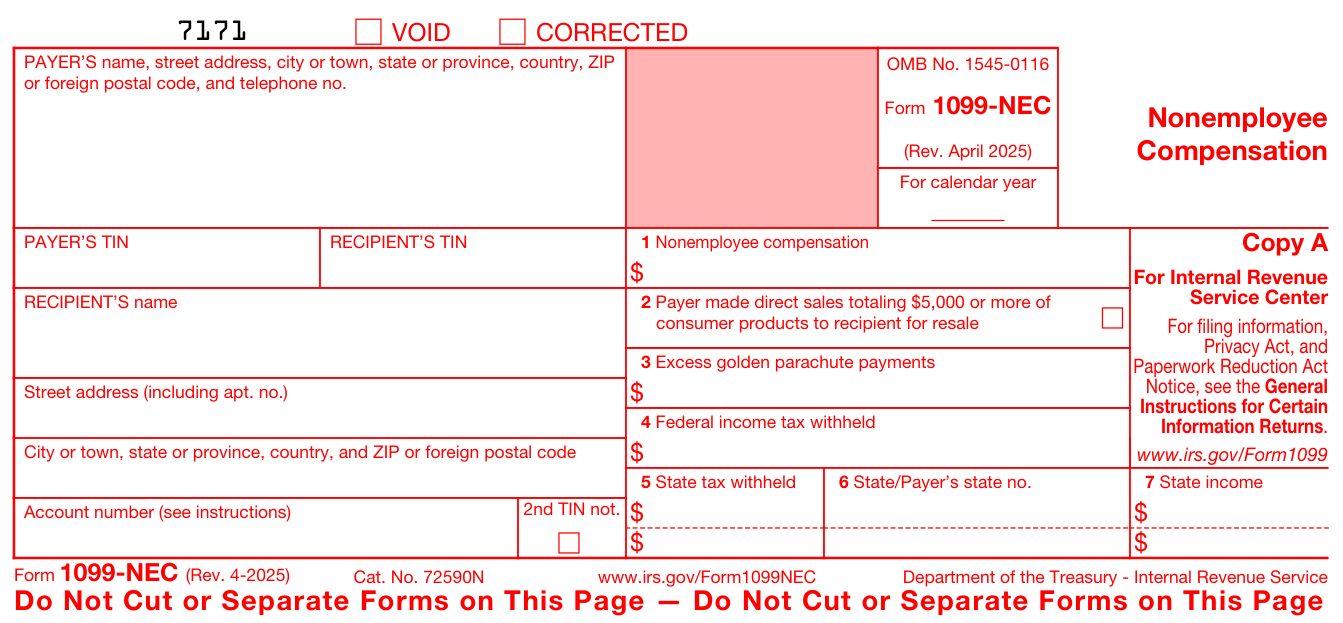
On paper, a money amount error takes one corrected return on official Copy A with a new Form 1096. A wrong or missing payee TIN, wrong payee name or wrong form type uses the two-step process. File on the official scannable red Copy A or a compliant substitute. The Copy A image on IRS.gov is for information only and should not be printed for filing. The form carries separate VOID and CORRECTED boxes.
Sources and context, checked :
Hypothetical 2025 Box 1 overstatement
A payer filed a 2025 Form 1099-NEC through the IRIS Taxpayer Portal and it was accepted. Box 1, nonemployee compensation, showed $8,500. Settled vendor payments of $1,600 had been counted twice, so the correct amount is $8,500 − $1,600 = $6,900. Payer and recipient IDs, the account number and all other boxes are correct, with no backup withholding.
The safe harbor generally applies only if each incorrect amount differs by no more than $100 and any withholding error differs by no more than $25. A recipient can elect a corrected statement. The $1,600 error exceeds the amount limit, so correct the record.
Select the accepted record in the portal and make an amount correction with $6,900 in Box 1. Enter the right amount, not the $1,600 difference, and do not file another unlinked original. Check the correction status, then furnish the corrected statement to the recipient.
Keep the correction file
If a service provider filed the original, get its original acceptance and correction confirmation. Before changing any 1099-NEC, pull its acknowledgement and write down its status so the correction route is chosen from the record.
- Tax year, filing channel, submission receipt and accepted record ID or paper copy
- Account number, vendor ledger match and Form W-9 where appropriate
- Old and new amounts, correction date and approval
- Correction acceptance and recipient delivery record
Sources and context, checked :